Oilfield Dispatch: How Service Companies Get the Right Crew and Equipment to the Well Site
Oilfield dispatch step by step: how service companies turn an operator's call-out into a qualified crew, ready equipment and a signed field ticket, with a checklist to run before release.
- Oilfield Services
- Field Service Management
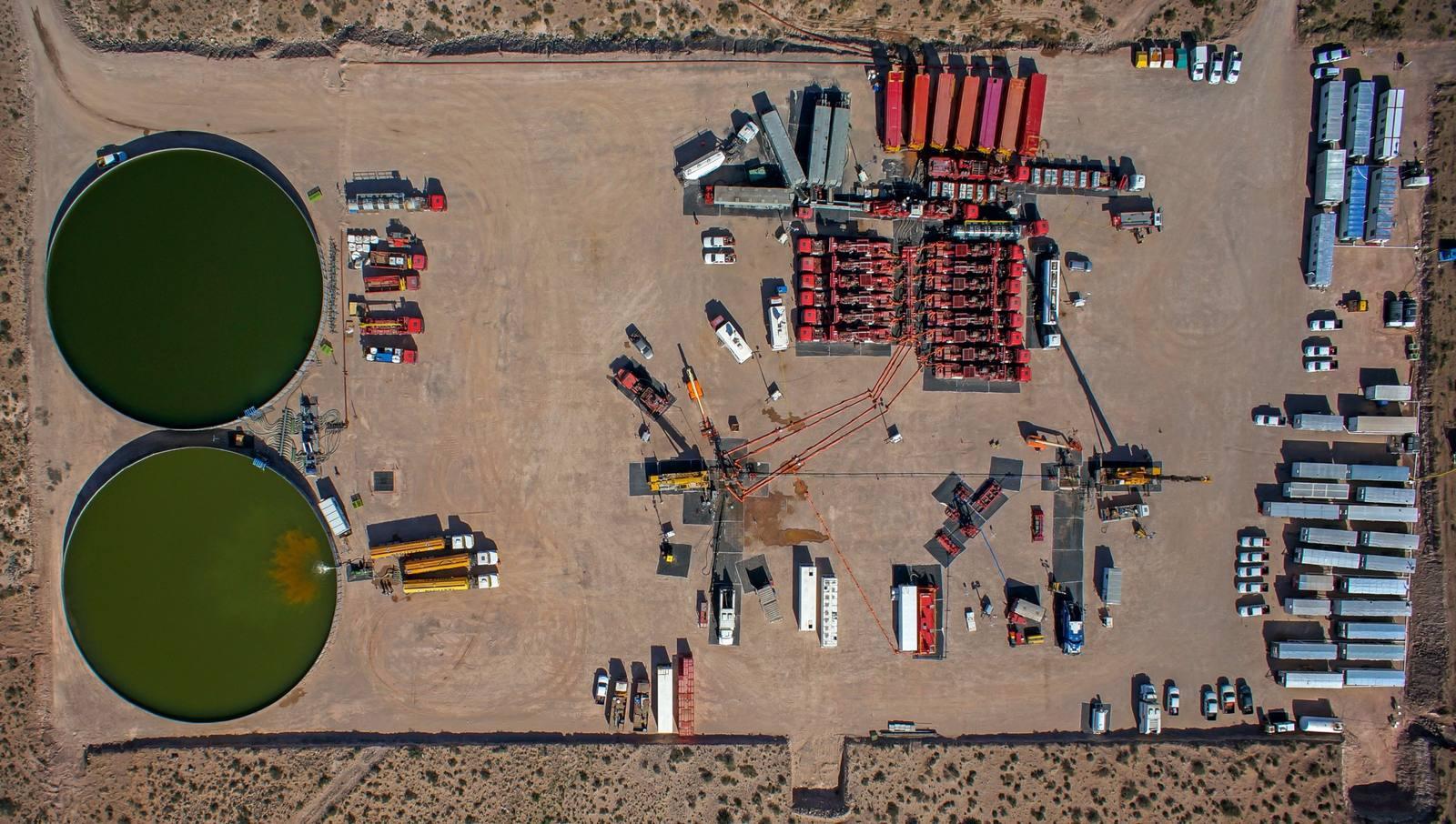
Oilfield dispatch is how a service company turns an operator's call-out into a qualified crew, inspected equipment and a planned trip to the well site, then tracks the job until a signed digital field ticket comes back. Dispatchers, yard leads and ops managers share the work, and you'll also hear it called crew dispatch or job dispatch.
Picture a pressure control company running two yards in the Permian. At 4 p.m. an operator calls for a crew and a frac stack on a Delaware Basin pad by 6 a.m., and the dispatcher builds the job from memory and a group text. Nobody checks the operator's orientation list, so the crew lead learns at the gate guard's shack at 5:50 a.m. that one hand's site orientation lapsed last month. The crew sits on the lease road while a replacement drives out from the yard, the company man (the operator's wellsite supervisor) logs the late start, and the standby, say three hours of it, turns into a line on the field ticket the operator won't pay. After that morning, the company stopped releasing any job until a written intake form and a certification check against the operator's list were both complete.
Sound familiar? Below is the workflow from intake to closeout, the checklist behind it, how it shifts by service line, where it usually breaks and how to measure it. For the general side of multi-branch scheduling, see our guide to scheduling technicians across multiple locations.
Overview:
Oilfield dispatch sends people and equipment together, so a job isn't ready until both are cleared for that operator and that location.
The workflow has seven steps: intake, crew match, equipment readiness, trip plan, job packet, mid-job changes and a signed field ticket.
Most failures start before the truck leaves the yard: a half-finished call-out, a lapsed certification or a unit booked twice.
Hours-of-service rules, H2S status and operator orientations decide who can go, not just who's free.
What makes oilfield dispatching different from regular field service dispatch?
Oilfield dispatching sends a crew and the equipment they run as one package, to a remote location where the operator sets the access rules, on a job that often changes once the crew is on site. And the job isn't done when the crew rigs down. It's done when the operator signs the field ticket that becomes the invoice.
Most dispatch boards were built for one technician, one van and one address. Here's how that compares with sending a service crew to a pad.
What changes | Typical field service dispatch | Oilfield service crew dispatch |
What goes out | One technician and the parts in the van | A crew plus the units they run, such as a wireline unit or a flowback package |
Who sets the rules | Your company | The operator: site orientation, training, H2S rules and who can sign |
Where the job is | A street address | A pad at the end of a lease road, behind a gate code, often with no signal |
How often scope changes | Rarely, and usually before the visit | Often: the company man adds a run or extends the job on location |
What closes the job | The technician marks it complete | The operator signs the field ticket, which becomes the invoice |
The operator part is what trips people up. Hydrogen sulfide occurs naturally in oil and gas wells, according to OSHA, so dispatch has to know whether a location is sour before deciding who goes and which monitors go with them. On paper, the operator's safety rules spell that out. In practice, it's often a line buried in an email thread or something the company man mentions on the phone, which is why it belongs on the intake form.
Then there's the record. If oil and gas dispatch lives in one tool, the crew in another and billing in a spreadsheet, nobody sees the whole job. The fix is one job record from dispatch to billing, and it's the thread running through every step below.
One scope note: trucking dispatch for water, sand or pipe is a different job, and it isn't covered here. The FAQ at the end explains the difference.
How does the oilfield dispatch workflow work, step by step?
The workflow runs in seven steps: take the job in completely, match the crew, confirm the equipment, plan the trip, send the job packet, handle changes mid-job and close out with a signed field ticket. Steps 1 to 5 happen before anyone leaves the yard, and that's where most problems get caught, or missed.
Step | Done when | Owner |
1. Take the job in completely | Every intake field is filled in, including the PO or AFE | Dispatcher |
2. Match the crew | Each person's certifications and site training stay valid past the job end, and driving hours fit | Dispatcher |
3. Confirm the equipment | Each unit is free for the job dates and stays certified and inspected through the job | Dispatcher and yard lead |
4. Plan the trip | Yard, route, drivers and arrival time are set and confirmed with the operator | Dispatcher |
5. Send the job packet | The crew has directions, scope, contacts, serials and safety rules on a device that works offline | Dispatcher |
6. Handle changes mid-job | Every change is on the job with the operator's approver named | Crew lead and dispatcher |
7. Close out | The company man has signed the field ticket on location | Crew lead |
Step 1: Take the job in completely
Most dispatch failures start with a half-finished call-out. Take every request in the same format, never from memory or a text thread. At minimum, capture the company man's name and phone, the well name, lease and API number, a GPS pin with gate codes, the scope, the start time and expected duration, and the PO or AFE number the operator wants on the ticket.
Don't release a job to scheduling until every field is filled in. Standard job order templates help, because nobody can skip a field the form requires. A five-minute call back to the operator costs less than a crew at the wrong pad.
Step 2: Match the crew to the job
Start with the work, not with who's free. List the roles the job needs, then filter people by:
Experience on that job type and that equipment
Certifications, operator orientations and site training, with expiry dates
Hours worked this hitch and the rest they need before the next shift
Where they are now and which yard they report to
Matching on skills, availability and location is the part AI-powered field service dispatch software automates well. The catch in the oilfield is the expiry date: check it against the planned job end, not today, because a card that's valid at dispatch can lapse on day two of a long job.
Oilfield crew scheduling also has to cover the drive. If crew members drive commercial motor vehicles, federal hours-of-service rules apply. Per the FMCSA summary, a property-carrying driver may drive a maximum of 11 hours after 10 consecutive hours off duty and may not drive beyond the 14th consecutive hour after coming on duty.
Drivers also can't drive after 60 hours on duty in 7 consecutive days, or 70 hours in 8 days, and the standard reset is 34 or more consecutive hours off duty. 49 CFR 395.1(d) adds two oilfield provisions on top.
Rule | What it means for dispatch |
Up to 11 hours of driving after 10 consecutive hours off duty | Rarely the limit that bites first on a service job, where most of the day goes to rigging up and working on location rather than driving. |
No driving after the 14th hour on duty | Usually the limit that bites first. A 3 a.m. yard call, a long rig-up and the drive home can run past it even when driving time looks fine. |
No driving after 60 hours on duty in 7 days, or 70 hours in 8 days | Long hitches run into this one. Under 49 CFR 395.1(d)(1), drivers of vehicles used only to move oilfield equipment or service field operations can restart the 7- or 8-day period after 24 or more consecutive hours off duty, instead of the standard 34. That restart only helps if someone tracks it, and on a whiteboard, nobody does. |
Waiting time at the well site, under 49 CFR 395.1(d)(2) | Specially trained drivers of specially constructed oil well service vehicles can record waiting time at the well site as off duty, so the math depends on who's driving what. |
Check remaining hours at assignment, not halfway through the drive. And if your schedule leans on the oilfield provisions, confirm with your safety lead which drivers and vehicles actually qualify.
Step 3: Confirm the equipment is available and ready
Before you assign a unit, confirm that:
It isn't booked on another job for the same dates, including a likely overrun
Its certification, inspection and maintenance stay current for the whole job, plus a buffer for delays
It's at the crew's yard, or there's a plan to move it
Consumables and spare parts are pulled and staged
If a unit comes due for inspection during the job, swap it now. Finding out on location means a second trip, and the pre-deployment checks in our oilfield equipment maintenance checklist are easier to run in the yard than on the pad.
A common failure mode is the stack that's certified on paper. The assembly record says it passed its test, but one valve inside it was swapped in from another stack last week and its certificate is two weeks from lapsing. Dispatch only sees the assembly, so nobody catches it until the operator's rep asks for the cert pack on location.
Catching it means tracking certification at the component level, not just the assembly, and that's hard to do with equipment lists built by hand. One pressure control equipment service provider had engineers and coordinators assembling job programs and equipment lists by hand from scattered files, which made double-bookings hard to prevent across regions. On Equipt, customer files and stage designs are imported once and the platform builds the job programs and equipment lists, while every frac stack, valve and manifold assembly is tracked with location, condition, readiness and certification status.
Still booking crews and equipment on separate spreadsheets?
Equipt checks asset, crew and inventory availability before you commit the work, so a double-booking shows up at planning time.
Book a demo
Step 4: Plan the trip across basins
If you work more than one basin, such as the Permian and the Eagle Ford, you probably dispatch from more than one yard. Choose the yard first: the closest one with both the right crew and the right equipment wins, even if another yard is quieter. Then plan drive time including lease roads, lodging if the job runs past one shift, who drives which unit, and the arrival time you promise the operator.
Drive time is a safety number as well as a cost. OSHA reports that highway vehicle crashes are the leading cause of oil and gas extraction worker fatalities, with roughly 4 of every 10 workers killed on the job in the industry dying in a highway vehicle incident. Fewer, better-planned trips cut that exposure.
For how AI routing handles this across a whole fleet, see our post on intelligent dispatch and route optimization.
Step 5: Send the crew a complete job packet
The crew should leave the yard with everything on a phone or tablet: directions, scope, contacts, the equipment list with serial numbers, safety requirements and the ticket format the operator expects. The packet has to open offline and sync once the crew's back in range, because the last few miles of lease road are often where the bars disappear.
Packets built as digital work orders carry straight into the ticket later, so nobody retypes serial numbers in the truck after the job.
Step 6: Handle changes mid-job
Changes are normal. The operator adds a run, the job rolls into a second day, or a tool fails and a replacement has to come out from the yard. Here's how that plays out on one job.
Say it's 2 p.m. on day one of a flowback job, and the company man walks over from his trailer to say he wants the crew held through tomorrow night. Here's the routine that keeps that change billable:
Record it on the job, from the field. The crew lead logs the extension with the company man's name as approver and the time he asked. A text to the dispatcher doesn't count.
Check what it collides with. Dispatch looks at what the crew and every unit were booked for next. If the separator was due on another pad Thursday morning, that job needs a different unit or a new start time, today.
Re-check hours and certifications. An extra day can push a hand past the 14-hour window or past a card's expiry date. Swap people now, not at shift change.
Tell the operator and the next customer. One call confirms the extension. One call moves the next job before anyone gets surprised.
Make sure the ticket picks it up. The extra day, the standby and any added equipment show up on the field ticket with the approver's name.
Standby deserves its own note, because it's the line operators dispute most. Standby the operator causes, such as a location that isn't ready or a crew waiting on another contractor, is usually billable under your rate sheet or MSA, but only if the crew lead records the start time, end time and the company man's approval as it happens. Standby your side causes, like the crew held at the gate in the opening example, usually isn't billable, and a ticket that doesn't say which kind it was tends to get treated as yours.
Changes agreed over the phone and never written down are where unbilled work comes from. The crew did the work and the operator wanted it, but nobody can show who approved it or when.
Step 7: Close out with a signed field ticket
The job is finished when the operator signs the field ticket, not when the crew leaves location. The ticket carries the hours, the equipment and serial numbers, consumables, every change from Step 6 and the PO or AFE number.
That's the theory. In practice, tickets get finished in the truck on the drive back, signed by whoever's around, or left until the end of the hitch, and each of those habits shows up later as a disputed invoice.
When dispatch and ticketing share one system, the ticket is pre-filled from the job instead of rebuilt from notes. With field ticketing software, the company man signs on location and the ticket reaches billing the same day.
What does an oilfield dispatcher need to know for every job?
An oilfield dispatcher needs eleven facts before releasing a job: who approves and signs, which well, how to get there, the scope and timing, the certifications and hazards on site, the equipment and its status, and how the operator wants to be billed. If any of them is blank, the job isn't ready.
What to know | Why it matters | Where it comes from |
Operator and company man's name and phone | Confirms who approves changes and signs the ticket | Operator call-out |
Well name, lease and API number | Ties the job and the ticket to the right well | Operator call-out |
GPS pin, directions and gate codes | Stops crews driving to the wrong pad | Operator or the last job there |
Job type and scope | Sets crew roles and the equipment list | Call-out or sales quote |
Start time and expected duration | Drives crew hours and equipment booking | Operator call-out |
Required certifications and site training | Keeps crews from being turned away at the gate | Operator rules and training records |
Equipment list with serial numbers | Confirms the right units go out and get billed | Equipment calendar |
Inspection and recertification status | Keeps out-of-date equipment off location | Maintenance records |
H2S status and other site hazards | Decides training, monitors and PPE | Operator safety rules |
PO or AFE number and rate sheet | Gets the ticket paid without rework | Operator and sales |
Ticket and sign-off requirements | Stops tickets coming back for corrections | Operator billing rules |
If the equipment rows are the ones that keep coming up blank, the fix usually sits upstream, in how you track equipment by job, not just by location.
Example: one call-out, checked before release
All company names, people, numbers and rates below are fictional and for illustration only.
Check | Entry | Result |
Operator and company man | XYZ Operating (fictional); J. Ortiz, (000) 000-0000 | Filled |
Well, lease and API number | XYZ State 7 No. 2H, Reeves County, Texas; API 42-000-00000 (placeholder) | Filled |
GPS pin and gate code | Saved to the job | Filled |
Scope and timing | Rig up a 15K frac stack and pressure test before stage 1; on location 7:00 a.m. Wednesday, 4 Nov 2026, for about 8 hours | Filled |
Site rules | Sour location: H2S training, personal monitors and the operator's site orientation required | Filled |
PO or AFE | AFE 00-000, PO 000000 (placeholders) | Filled |
Crew | R. Diaz (supervisor), T. Nguyen and M. Shah (operators) | M. Shah's site orientation lapsed on 28 Oct 2026, so K. Brooks goes instead |
Driver hours | On duty 4:00 a.m., 30 minutes of pre-trip and loading, a 2.5-hour drive each way and 8 hours on location; the 14-hour window closes at 6:00 p.m. | Back at the yard about 5:30 p.m., so it fits |
Equipment | Frac stack FS-01, iron trailer IT-00, test pump TP-00 | TP-00 is due for inspection on 3 Nov 2026, so TP-02 goes instead |
Release | Called in 1:30 p.m. Tuesday, 3 Nov 2026; intake complete 2:05 p.m. | Released to scheduling at 2:20 p.m. |
Two checks failed, one person and one unit, and both swaps happened at 2 p.m. on Tuesday instead of at the gate on Wednesday morning.
How does oilfield dispatch change by service line?
The workflow stays the same, but what dispatch checks first changes with the service line. Pressure control hinges on component certifications, wireline on runs and explosives handling, coiled tubing on convoy timing, flowback on shift coverage and rental tools on return inspections.
Service line | What goes out together | What dispatch checks first | What tends to change on location |
Pressure control | Frac stacks, valves, manifolds and iron, plus a crew to rig up and test | Certification and test status for every component, and the pressure rating the job calls for | Extra stages, and rig-down timing that moves with the frac schedule |
Wireline | A wireline unit, tools and, for perforating, explosive charges | Operator training, tool availability and the rules for transporting and storing explosives | Added runs, and repeat runs after a misrun |
Coiled tubing | A coiled tubing unit, crane, pump and support trucks traveling together | Every unit's readiness and every driver's hours, since one late truck holds the whole job | Extra days on location |
Flowback and well testing | Separators, tanks, iron and crews covering day and night shifts | Shift rotation and rest, H2S status and monitors | Duration: the job runs until the operator releases it |
Rental tools | Tools delivered to location, often without a crew | Inspection status on return and the delivery window | Tools staying on location longer than booked |
Which of these rows looks most like your week? Rental tool dispatch has its own rhythm: delivery, pickup and turnaround. If returned tools sit in the yard waiting on inspection, our post on speeding up turnaround on returned equipment covers the fixes.
Where does oilfield dispatch break, and how do you fix it?
Oilfield dispatch usually breaks in four places: crews turned away at the gate, equipment double-booked or out of inspection, mid-job changes that never reach the ticket, and plans that live in one person's head. All four share a root cause: the information sits somewhere dispatch can't see at the moment it decides.
Failure point | Usual cause | Fix |
Crew turned away at the gate | Expired certification or missing site orientation | Block any assignment where a required item is missing or expires before the job ends |
Equipment double-booked or overdue | Equipment booked on a separate spreadsheet from the crew | Book crews and equipment against the same job |
Changes missing from the ticket | Changes agreed by phone on location | Record each change on the job, with the operator's approver |
Only one person knows the plan | Schedule on a whiteboard, in a group text or in someone's head | One shared schedule that every yard can see |
The equipment row is the one software fixes most directly. In oil and gas service dispatch software, crews and equipment are booked against the same job, so a conflict shows up before the assignment is confirmed, not when the truck is loading.
The changes row is the one that quietly costs money. How many of last month's tickets came back for corrections? Count the ones where the dispute was about something agreed on location, and you have a rough price for every change nobody wrote down.
What should an oilfield dispatch checklist include?
A dispatch checklist should cover three things before release: a complete intake, a crew check against certifications and driving hours, and an equipment check against bookings and due dates.
Before the truck leaves the yard | Done | Note |
Every intake field is filled in | ☐ | Call the operator back for anything missing |
Every crew member is clear for this operator and location | ☐ | Check against the job end, not today |
Driving hours fit, including the drive home | ☐ | Count from the yard call, not from departure |
Every unit is free for the job dates and certified past the job end | ☐ | Include a likely overrun |
Consumables and spares are staged | ☐ | Pull them the night before |
The job packet opened on the crew lead's device | ☐ | Confirm it opens offline |
Arrival time is confirmed with the operator | ☐ | Name the person you confirmed with |
How do you measure oilfield dispatch performance?
Track a handful of numbers that show whether problems get caught in the yard or on location: how fast jobs are released, how often crews are turned away, how often they arrive on time, how many tickets come back and how long tickets take to become invoices. Most come from records you already keep, so you can start this month.
Metric | How to calculate it | What it tells you |
Intake-to-release time | Time from the operator's call to the job being released to scheduling | Whether intake is complete the first time or stuck waiting on call-backs |
Gate turnaways | Jobs per month where a person or unit was turned away or swapped on location | Whether certification and orientation checks run before release |
On-time arrival rate | Jobs on location by the promised time, divided by all jobs | Whether trip plans and driver hours are realistic |
Tickets returned for correction | Tickets the operator sent back, divided by tickets submitted | Whether changes and approvals are recorded on location |
Ticket-to-invoice time | Days from the signed ticket to the invoice going out | Whether dispatch and billing work from one record |
Equipment utilization | Days a unit spends on billable jobs, divided by the days in the period | Whether double-bookings and overdue inspections are keeping units in the yard |
Pick two to start. Gate turnaways and tickets returned for correction are usually the easiest to count and the quickest to improve, because both trace straight back to the intake form and the change log.
When does oilfield dispatch need software?
Oilfield dispatch needs software once you run more than one yard, book equipment that has its own calendar, or bill from tickets that come back days after the job. A whiteboard and a spreadsheet work for one yard and a few crews. They break when people, units and operators multiply.
Software doesn't fix dispatch on its own. It speeds up a process that's already written down. It won't fix an intake form nobody fills in, and if the yard doesn't scan units in and out, the schedule is just wrong faster. Run the checklist on paper for a few weeks first. For one yard and three crews, a well-kept spreadsheet is fine.
Once you're past that point, look for oilfield services software that keeps equipment readiness, operator requirements and the field ticket in the same record as the crew schedule. In Equipt, AI-powered fulfillment checks validate whether each job can be fulfilled before you commit to it, which is the release rule this guide is built on, run automatically. The AI-Planner then schedules crews and resources based on skills, availability, priority and route, and the same job carries through to a digital field ticket with customer sign-off. Crews can update both offline.
Dispatchers can also ask E-Genie, Equipt's AI assistant, plain-language questions against live data, such as "Whose certifications expire before Friday's job ends?" or "Which units are due for inspection next week?", instead of digging through reports.
Equipment status, inspections and certification reminders sit in oilfield asset monitoring software on the same platform, so dispatch sees a unit's readiness before it books it.
“With improved data integrity and real-time IoT data retrieval, we've optimized unit tracking, performance monitoring, billing, and decision-making.”
— Mike Skrbich, President and CEO, Energy Water Solutions
One integrated oilfield services provider and OEM had field crews and dispatchers scheduling jobs, requesting inventory and routing equipment through phone calls, emails and spreadsheets, which led to frequent errors and delays. It now schedules crews and jobs in a single system using skills, hours and proximity, with requests, approvals, changes and invoicing running through one workflow.
“We've cut manual admin work, improved utilization, and can prove compliance on every job.”
— Vice President Services and Operations, integrated oilfield services provider and OEM
If you want to see this workflow with your own crews, yards and equipment, book a demo.
The bottom line on oilfield dispatch
If you change one thing this month, make it the intake form. Every failure in this guide, from the crew at the gate to the change that never got billed, traces back to something dispatch didn't know or didn't write down before the truck left the yard. Start with the 11 intake facts, add the crew and equipment checks, and release nothing until all three are clear.
After that, the question is scale. One yard and a handful of crews can run on the checklist and a shared spreadsheet. Once you're juggling basins, assemblies with their own certification dates and operators with their own rules, put crews, equipment and tickets on one job record so the checks run on their own, and spend your dispatcher's time on the calls only a person can make.
Frequently asked questions
What does an oilfield dispatcher do?
An oilfield dispatcher takes job requests from operators, assigns qualified crews and ready equipment, plans the trip to the well site and tracks the job until the field ticket is signed. Day to day, that means checking certifications, crew hours and equipment status, passing changes between the field and the office, and keeping the operator updated on arrival times.
What's the difference between an oilfield dispatcher and a scheduler?
A scheduler plans work ahead, deciding which crews and equipment cover which jobs over the coming days or weeks. A dispatcher works the day itself: taking call-outs, releasing jobs, sending crews out and handling changes once they're on location. At smaller service companies one person often does both, which is why a written intake form and a shared schedule matter so much.
How is service crew dispatch different from oilfield trucking dispatch?
Trucking dispatch moves loads such as water, sand or pipe between locations, and the haul is the job. Service crew dispatch sends people and equipment to do work at the well site, such as pressure control, wireline or flowback. It adds certifications, equipment inspection status, changes made on location and a field ticket that becomes the invoice.
How do you handle oilfield crew scheduling across more than one basin?
Pick the yard first: the closest yard that has both the qualified crew and the ready equipment. Then plan drive time, lodging and driver hours, and confirm the arrival time with the operator. Keep every yard on one shared schedule so you can move crews or equipment between basins without double-booking them.
How do you dispatch crews to locations with no cell service?
Send everything before the crew leaves the yard. The job packet, directions, gate codes and ticket should open offline on the crew lead's device and sync once the crew is back in range. Agree on a check-in point, such as the last spot with signal on the lease road, and log any changes on the device so they sync later instead of living in a phone call.
How does dispatch connect to the field ticket and the invoice?
Everything the dispatcher records feeds the ticket: the operator's PO or AFE number, the crew, the equipment and serial numbers, and any changes made on location. When dispatch and ticketing share one job record, the ticket is pre-filled from the job and the company man signs it on site, so billing starts without retyping anything.
What is standby time on an oilfield field ticket?
Standby is time a crew or unit spends on location unable to work. When the operator causes it, such as a location that isn't ready, it's usually billable under the rate sheet or MSA if the start time, end time and the company man's approval are recorded on the ticket. When the service company causes it, such as a crew held at the gate for a lapsed orientation, it usually isn't billable.
Do hours-of-service rules apply to oilfield service crews?
Yes, whenever a crew member drives a commercial motor vehicle. A property-carrying driver may drive up to 11 hours after 10 consecutive hours off duty and can't drive past the 14th hour after coming on duty. 49 CFR 395.1(d) adds oilfield provisions, including a 24-hour restart (instead of the standard 34 hours) for some drivers and off-duty wellsite waiting time for specially trained drivers of oil well service vehicles.